Get the hb99 App
on Your Android Phone
The hb99 app brings cricket betting, live casino, Aviator crash games and fishing slots to your phone. One tap on the icon — your account, your bets, your winnings, all there. Free to download, works on Android 8.0 and above.
File: hb99.apk · Size: 41 MB · Version: 3.6.14 · Free
- SSL Encrypted
- Android 8.0+
- bKash & Nagad
- 18+ Only
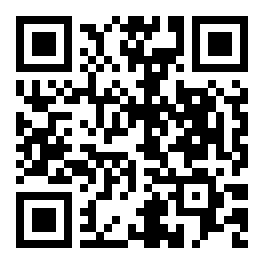
Scan with your phone camera to download
- App Version
- 3.6.14
- File Size
- 41 MB
- Min Android
- 8.0
What You Can Do in the App
Everything on the hb99 platform is available inside the app — often faster than the browser. Here are the six things players use most.
Cricket & Sports Betting
Bet on BPL, IPL, T20 and ODI matches with live odds that update ball-by-ball. The app displays run rates, wickets and current scores alongside the betting slip so you never miss a moment during a match night at home or on your commute.
Live Casino Games
Join live Roulette, Blackjack and Teen Patti tables streamed in real time by Playtech and Sexy Gaming dealers. The hb99 app handles HD video without buffering even on a standard mobile data connection, letting you play confidently on a weekend afternoon.
Aviator & Crash Games
Spribe's Aviator and Fortune Snake load in under three seconds inside the app. Cash out before the multiplier crashes — the tap-to-cash-out button is large and responsive, which matters when the plane is climbing past 5× on a busy match night.
Slots & Fishing Games
Browse over 4,000 titles from PG Soft, JDB and Spribe including God of Fish Slicing, Genie 3 Wishes and Jurassic Kingdom. Filters by provider and game type make it easy to find what you want on a small screen without endless scrolling.
Deposit & Withdraw via bKash
Top up your account in about two minutes using bKash, Nagad, Rocket or Upay — all built into the app's cashier. The minimum deposit is ৳500. Withdrawals are processed within around 28 minutes. No browser tabs, no copy-pasting account numbers.
Push Notifications & Promotions
Opt in to match-day alerts and bonus reminders so you never miss a reload offer or a last-minute odds boost. The hb99 app sends notifications only for events you choose — you stay in control of how often the app reaches out during your day.
Version & System Requirements
Check these details before you download so the installation goes smoothly. The hb99 app is updated regularly — always download from this page to get the latest build.
| Detail | Value | Notes |
|---|---|---|
| Current Version | 3.6.14 | Includes live cricket score overlay and improved cashier flow |
| File Size | 41 MB | Download takes under 90 seconds on a standard mobile data plan |
| Minimum Android Version | Android 8.0 (Oreo) | Android 10 or higher recommended for best performance |
| Last Updated | 10 November 2026 | Check this page for newer builds before reinstalling |
| Price | Free | No subscription or hidden charges; only your deposits are your money |
| Language | English & Bangla | Switch language inside Settings → Display |
| iOS Support | Web App (PWA) | iPhone users add hb99.today to home screen — see steps below |
Security & Permissions the App Needs
The hb99 app is distributed as a direct APK — it does not go through the Google Play Store. Here is what the app asks for and why, so you can make an informed decision before installing.
No Hidden Data Collection
The app only collects information needed to run your account: login credentials, payment reference IDs and device identifiers for fraud prevention. It does not read your contacts, messages or media gallery. Source code is audited before each release.
256-bit SSL on All Traffic
Every connection between the hb99 app and the server uses TLS 1.3 encryption. Your deposit amount, game bets and withdrawal requests travel over an encrypted channel — the same standard used by online banking apps in Bangladesh. You can verify the padlock in any network monitor.
Camera & Microphone: Optional Only
The app requests camera access only if you choose to upload KYC documents directly from the app. It never activates the camera or microphone in the background. You can deny the camera permission and still upload ID photos from your existing gallery without any issue.
APK Integrity Check on Install
Android verifies the digital signature of the hb99 APK during installation. If the file was altered or corrupted in transit, Android will refuse to install it and show a "package invalid" error. If you see that error, delete the file and re-download from this page — do not proceed with a modified file.
How to Install the hb99 App on Android
Android blocks apps from outside the Play Store by default. You need to allow "unknown sources" once — the process takes about two minutes in total.
-
1
Allow Unknown Sources
Go to Settings → Apps → Special App Access → Install Unknown Apps and select your browser (Chrome or any file manager). Toggle "Allow from this source" to ON. You only need to do this once; you can turn it off again after the hb99 app is installed if you prefer.
-
2
Download hb99.apk
Tap the Download APK button on this page. The file hb99.apk (41 MB) will save to your Downloads folder. Keep the screen on while it downloads — most mobile connections finish in under 90 seconds. Do not close the browser tab mid-download.
-
3
Open the APK File
Open your Files or Downloads app, find hb99.apk and tap it. Android will show a permissions screen listing what the app can access — read it and tap Install. The installation typically finishes in about 15 seconds and the hb99 icon appears on your home screen.
-
4
Log In or Register
Open the hb99 app. If you already have an account, tap Log In and enter your phone number and password — see our login guide if you need help. New players tap Register to open an account in under two minutes; check the registration page for a walkthrough.
-
5
Deposit & Start Playing
Go to Cashier → Deposit, choose bKash, Nagad or Rocket, enter at least ৳500 and confirm. Your balance updates in about two minutes. Head to Sports or Casino, pick a game and place your first bet. The welcome bonus applies automatically to your first deposit — no code needed.
iPhone Users – Add hb99 to Your Home Screen
Apple does not allow APK files. Instead, you can install hb99 as a Progressive Web App (PWA) — it sits on your home screen and behaves like a native app, with one-tap access and full-screen display.
-
1
Open Safari on your iPhone Go to hb99.today in Safari. The PWA installation only works through Safari — Chrome and Firefox on iOS will not show the "Add to Home Screen" option.
-
2
Tap the Share icon At the bottom of Safari, tap the box-with-arrow Share icon. If the address bar is at the top, the Share icon is in the top-right corner.
-
3
Select "Add to Home Screen" Scroll through the Share menu and tap Add to Home Screen. The name will pre-fill as "hb99" — keep it as-is or change it, then tap Add in the top-right corner.
-
4
Open from home screen Find the hb99 icon on your home screen and tap it. The site opens in full-screen mode without Safari's address bar. Log in or register, deposit via bKash and start playing — the experience is very close to a native app.
Games Available Inside the App
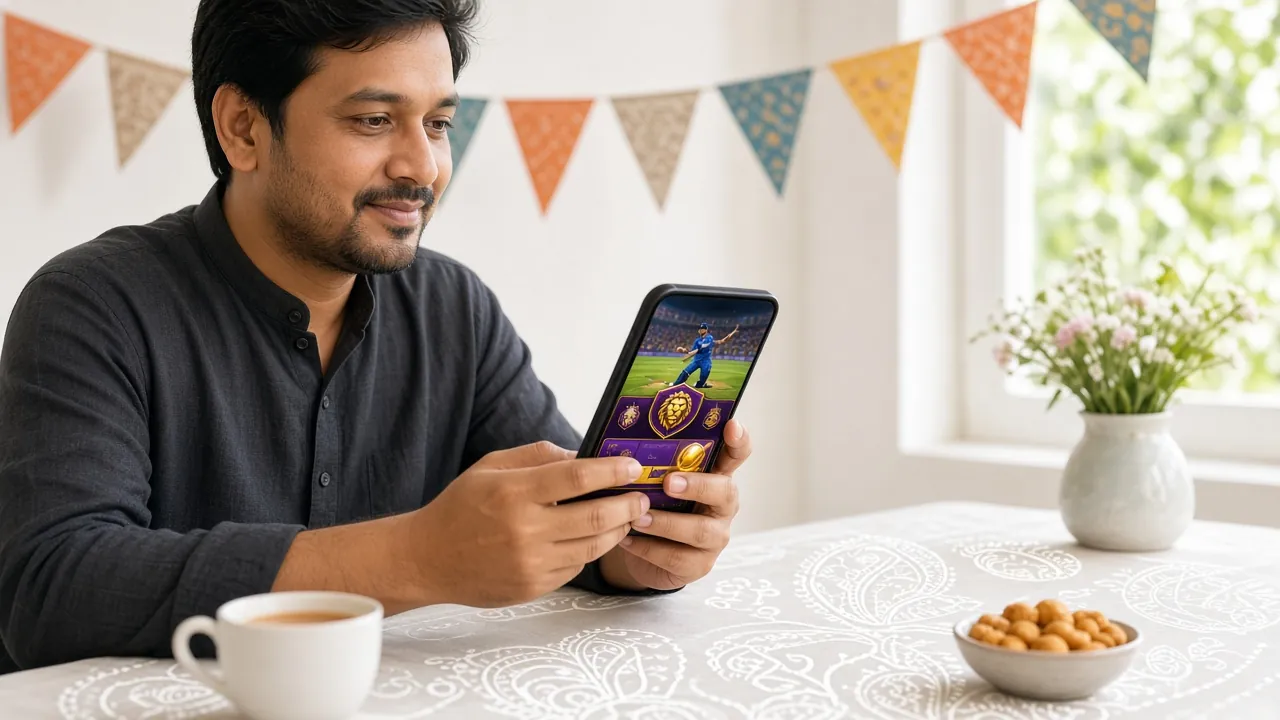
The hb99 app gives you access to the full game library — over 4,000 titles. The tiles below show some of the most-played games right now. All bets are in ৳ (BDT) and you can filter by type or provider inside the app.


App vs Browser – Which One to Use?
Both options work, but the app gives you a smoother experience when you are betting live during a match. Here is a quick comparison to help you decide — most players in Bangladesh use the app as their primary way in and keep the browser as a backup.
| Feature | hb99 App (Android) | Mobile Browser | Desktop Browser |
|---|---|---|---|
| Live match odds update speed | Fastest | Good | Fastest |
| Push notifications for odds boosts | Yes | No | No |
| One-tap login (biometric) | Yes | No | No |
| bKash / Nagad deposit | Yes | Yes | Yes |
| Full game library access | Yes (4,000+) | Yes | Yes |
| Works without installing anything | Needs install | Yes | Yes |
| Automatic updates | Manual (re-download APK) | Always latest | Always latest |
| Battery use | Lower (native rendering) | Medium | Not applicable |
| Recommended for | Daily players, live bettors | Occasional players | Home, big screen |
When the Install Does Not Go as Expected
Most issues come down to one of five causes. Find your problem in the table below and follow the fix — if none of these work, contact hb99's 24/7 live chat from the browser version.
| Error / Symptom | Likely Cause | Fix |
|---|---|---|
| "App not installed" message | An older version of hb99 is already on the phone, or the downloaded file is incomplete | Go to Settings → Apps, uninstall the old hb99 app, then delete the APK from Downloads and re-download the full 41 MB file from this page. Try again. |
| "Parse error" during install | The APK file is corrupted — usually from a dropped connection mid-download | Delete the file from Downloads, make sure you have a stable Wi-Fi or mobile data connection, then tap "Download APK" again. Wait for the full download before opening the file. |
| Install blocked, no option to allow | Android settings path varies by manufacturer (Samsung, Xiaomi, Oppo have different menus) | On Samsung: Settings → Biometrics and Security → Install Unknown Apps. On Xiaomi: Settings → Additional Settings → Privacy → Unknown Sources. Enable for your browser or file manager, then try again. |
| App crashes immediately on open | Android version below 8.0, or not enough free storage on the device | Check Android version under Settings → About Phone. If below 8.0, use the browser version at hb99.today instead. If storage is the issue, free up at least 200 MB and restart before launching. |
| Login screen loads but login fails | Incorrect password, or account not yet registered | Use the hb99 login page troubleshooting guide to reset your password via SMS. If you have not registered yet, tap Register inside the app or visit hb99 Register to create an account first. |
Questions About the Download & Setup
Is the hb99 APK file safe to install?
Yes. The APK hosted at hb99.today is the official build signed by hb99's development team. Android verifies the digital signature automatically before allowing the install — if the signature does not match, the install is blocked. The app uses TLS 1.3 encryption for all network traffic and does not request unnecessary permissions such as access to your contacts or SMS messages. Download only from this page and not from third-party APK mirror sites, which may distribute modified files.
Why does Android say "installation blocked" when I try to open the APK?
Android 8.0 and later requires you to grant permission to install apps from outside the Google Play Store on a per-source basis. Go to Settings → Apps → Special App Access → Install Unknown Apps, select the browser or file manager you used to download the APK, and toggle "Allow from this source." Once the hb99 app is installed, you can switch this back off. The exact menu path differs slightly on Samsung, Xiaomi and Oppo phones.
How do I update the hb99 app when a new version comes out?
The hb99 app does not update automatically because it comes from outside the Play Store. When a new version is released, the Download APK button on this page will point to the updated file. Simply download it again and tap to install — Android will replace the existing app without deleting your account or settings. Check the version number at the top of this page against the one shown inside the app under Settings → About to know when to update.
Can I use the hb99 app on two phones at the same time?
Your hb99 account can be accessed from multiple devices, but only one active session is allowed at a time. If you log in on a second phone while already logged in on another, the first session will be automatically closed. This is a security measure to protect your account balance. You can install the hb99 APK on as many Android devices as you like — just one at a time can be active. Contact 24/7 live chat if you are locked out unexpectedly.
Does the app work on iPhone or iPad?
Apple does not allow APK files, so the hb99 Android app cannot be installed on iPhone or iPad. Instead, open hb99.today in Safari on your iPhone, tap the Share icon and choose "Add to Home Screen." This creates a Progressive Web App shortcut that opens in full-screen mode without the browser bar. All features — including bKash deposits, live casino and sports betting — are available through the web app. Notifications are limited compared to the Android version.
What happens to my account data if I uninstall and reinstall the app?
Your account data — balance, bet history, bonus balance and VIP tier — is stored on hb99's servers, not on your device. Uninstalling the app removes only the app files from your phone. When you reinstall and log in again, everything is exactly as you left it. The only thing stored locally is your saved login session, which is cleared when you uninstall. Have your phone number and password ready before reinstalling.
What is the minimum deposit I can make through the app?
The minimum deposit on hb99 — whether through the app or the browser — is ৳500. This applies to all payment methods: bKash, Nagad, Rocket, Upay and Bank Transfer. Deposits arrive in about two minutes. The minimum withdrawal is also ৳500, and your first withdrawal may take up to one hour while KYC verification is completed. After that, withdrawals are processed in around 28 minutes during normal operating hours. The daily withdrawal limit at the Copper (starting) tier is ৳75,000.
Download and Play on Your Phone Today
The hb99 app is free, 41 MB and works on any Android 8.0 phone. Install it in two minutes, deposit ৳500 via bKash and you are in.
18+ · Play Responsibly · Bangladesh players only